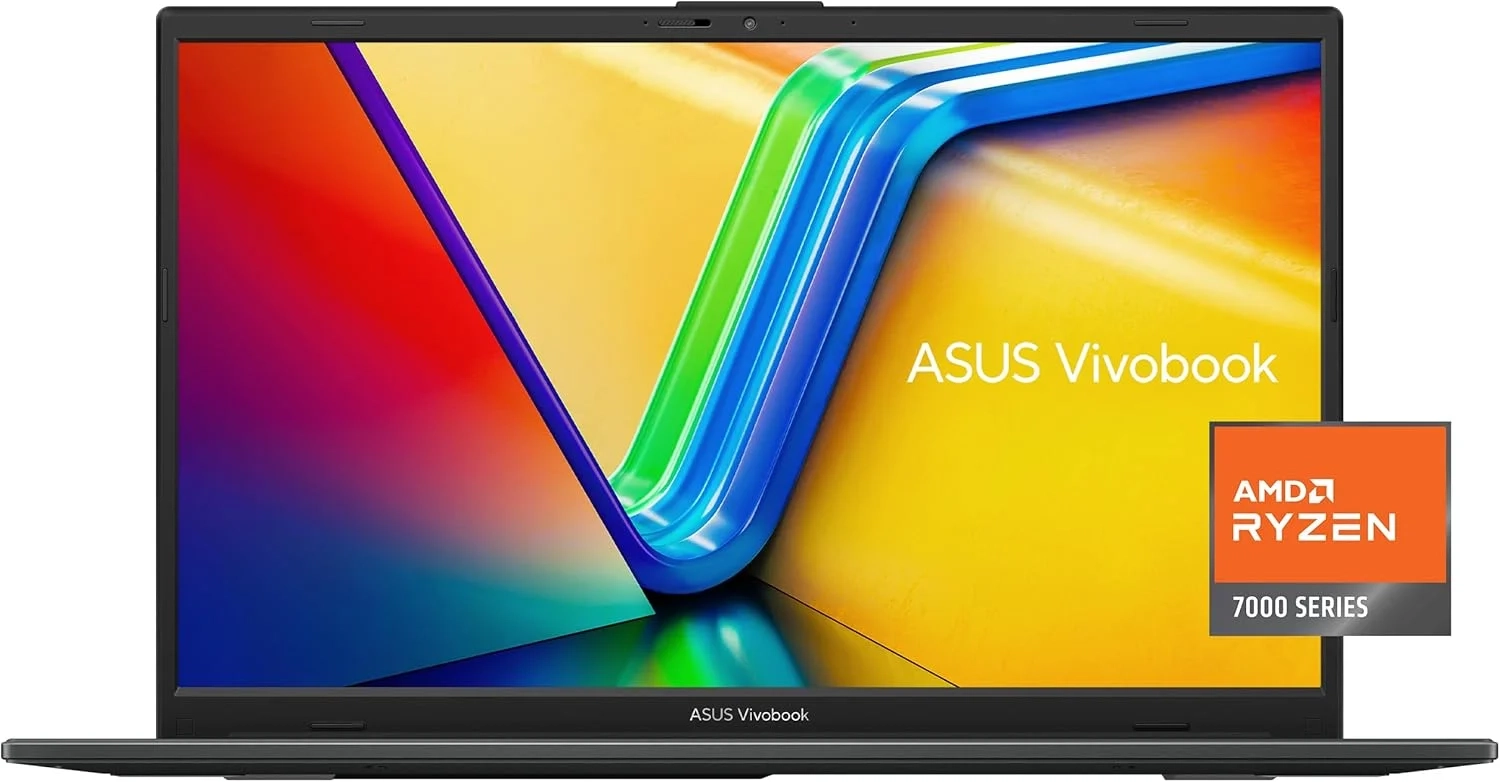
ASUS Vivobook Go 15.6 Review: Performance and Specs
This guide explores the key features and performance of the ASUS Vivobook Go 15 for students and mobile professionals. Many users look for a balance of portability and everyday functionality. We cover its design, battery life, and suitability for common tasks to help you decide.
Introduction
Choosing the right laptop can feel overwhelming with so many technical specifications. The ASUS Vivobook Go 15, with its AMD Ryzen 3 7320U processor, stands out as a compelling option for everyday users. This laptop promises essential performance for daily tasks without breaking the bank.
It’s designed to handle browsing, productivity, and light multimedia with ease. Let’s explore what makes this device a smart choice for students and professionals alike.
ASUS Vivobook Go 15 Problems and Solutions
Many users worry that budget-friendly laptops sacrifice too much. Common concerns include sluggish performance with multiple browser tabs, poor screen quality, and insufficient storage. Others fear that a thin, portable design might mean a flimsy build or terrible speakers.
The Vivobook Go 15 directly addresses these pain points. It balances capable hardware with thoughtful features to avoid the typical pitfalls of entry-level machines. Understanding these solutions helps you see its true value.
Step-by-Step Solutions
To get the most from your Vivobook Go 15, follow these simple steps:
- Optimize Performance: Use the 128GB storage wisely. Keep large files in cloud storage or on an external drive. The 8GB memory is sufficient for multitasking, but try to close unused applications.
- Enhance Your Experience: Connect to Wi-Fi 5 for stable internet. Use the comprehensive ports, like the USB Type-C, for fast data transfer or to connect a monitor.
- Maintain Your Device: Regularly update the AMD Radeon Graphics drivers for the best performance in light applications and video playback.
Alternatives and Comparisons
How does the Vivobook Go 15 stack up? Compared to Intel-powered laptops in the same price range, the AMD Ryzen 3 7320U offers competitive integrated graphics for smoother casual use. Its 8GB of memory is standard, but some rivals might offer 256GB storage.
Against more expensive Ultrabooks in the Computer and Accessories category, it lacks premium materials and a high-resolution display. However, for core tasks, it delivers about 80% of the experience at half the price. It’s a practical alternative to Chromebooks for those who need full Windows functionality.
Practical Use Cases
This laptop shines in specific real-world scenarios. It’s perfect for a student taking online classes, writing papers, and streaming lectures—the 15.6” NanoEdge display provides ample screen real estate. Remote workers will appreciate the ErgoSense keyboard for comfortable typing during long video calls using the 720p HD camera.
For family use, it serves as a reliable household computer for managing finances, shopping online, and watching videos with its SonicMaster sound. It’s a versatile tool in the Technology Blog of life, handling daily digital chores effortlessly.
FAQs
What is the AMD Ryzen 3 7320U processor good for?
The AMD Ryzen 3 7320U is designed for essential computing. It efficiently handles web browsing, office applications, email, and video streaming, making it ideal for everyday productivity and schoolwork.
How does the Vivobook Go 15 compare to gaming laptops?
It’s not a gaming laptop. While the integrated AMD Radeon Graphics can run very casual or older titles, it’s not suited for modern AAA games. For serious gaming, explore dedicated machines in the Gaming and Accessories category.
Is the ASUS Vivobook Go 15 worth it for students?
Absolutely. Its combination of a large screen, solid performance for research and writing, long battery life, and a budget-friendly price makes it an excellent value-for-money choice for students.
Conclusion
The ASUS Vivobook Go 15 is a well-rounded laptop for everyday computing. Its strengths lie in a balanced specification that tackles common user needs without unnecessary complexity. For anyone seeking a dependable device for work, study, and entertainment, it represents a smart and affordable investment.
About This Topic
This topic focuses on the real-world value and performance of the ASUS Vivobook Go 15 laptop, specifically configured with an AMD Ryzen 3 7320U processor, 8GB of memory, and 128GB of storage. It’s an analysis aimed at cutting through marketing specs to determine who this machine truly benefits.
The primary beneficiaries are budget-conscious users, students, and home users who need a reliable computer for core tasks. This includes activities like web browsing, document editing, video calls, and media consumption. It’s not designed for intensive video editing, high-end gaming, or running complex engineering software.
A common misconception is that all budget laptops are slow and poorly built. This review addresses concerns about the processor’s capability for multitasking, the adequacy of the storage space, and the quality of the display and audio. We explain how features like the 60Hz refresh rate and SonicMaster sound translate to daily use.
The goal is to provide a clear, trustworthy assessment to help you decide if this laptop’s balance of price and performance meets your specific needs for an essential computing device.
Display & Screen Specifications
- Screen size: 15.6 inches
- Display resolution: 1920 x 1080 pixels (Full HD)
- Native resolution: 1920 x 1080 (FHD)
- Panel type: Standard LCD display
Processor & Performance
- CPU model: AMD Ryzen 3 7320U
- Processor speed: Up to 4.1 GHz max boost clock
- Chipset brand: AMD
- System memory (RAM): 8 GB LPDDR5
Storage & Drive
- Internal storage: 128 GB Solid State Drive (SSD)
- Storage type: SSD flash storage
Graphics
- Graphics processor: AMD Radeon Integrated Graphics
- GPU type: Integrated graphics card
- Chipset: AMD
Connectivity & Ports
- Wireless connectivity: Wi-Fi 5 (802.11ac) and Bluetooth
- USB 2.0 ports: 1
- USB 3.0 ports: 1
Compatibility & Operating System
- Designed for Windows 11 compatibility
- Supports standard productivity and multimedia software