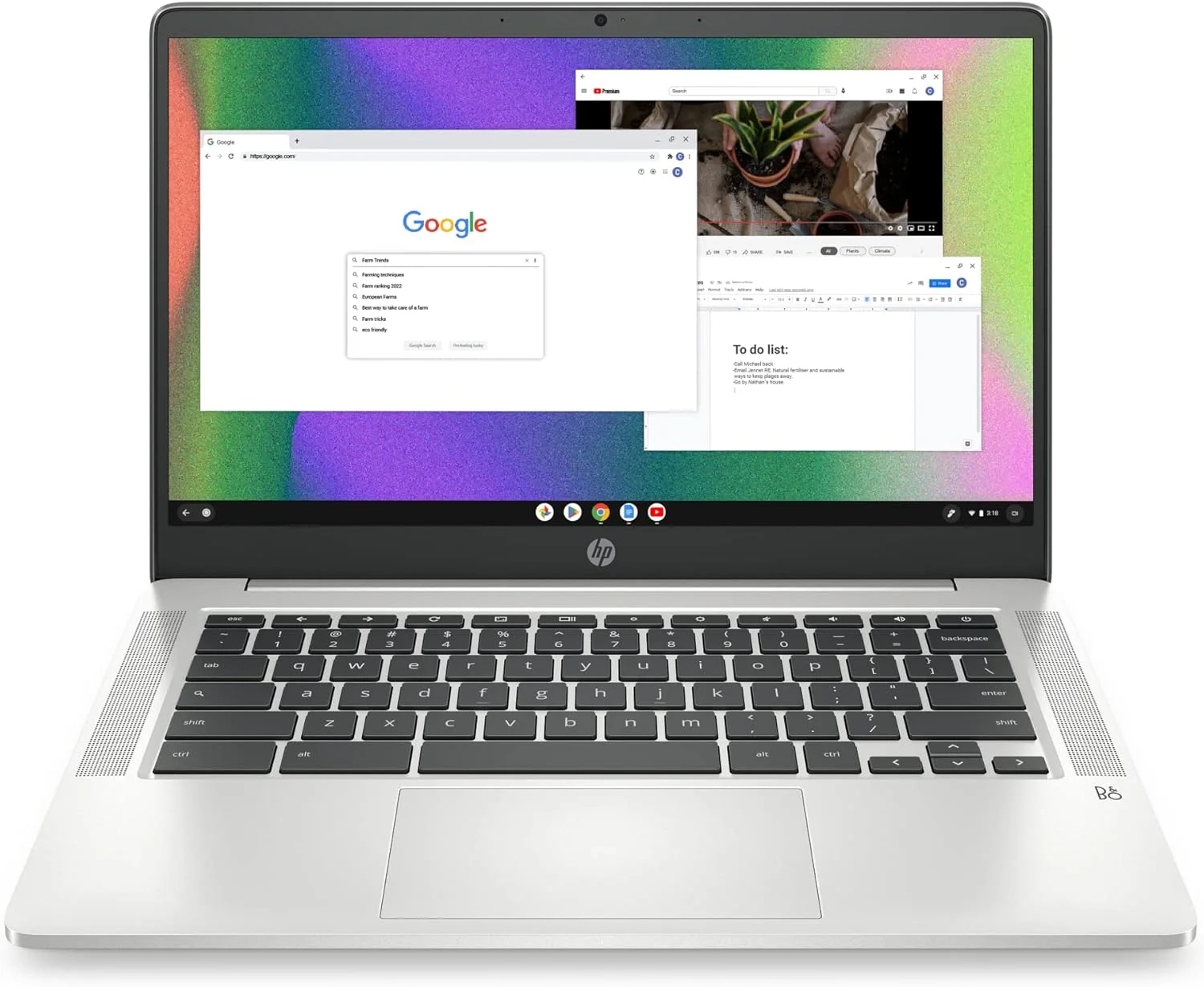
HP Chromebook 14 Review: Performance and Battery Life
Many users look for a reliable and affordable laptop for everyday tasks, and this guide covers the key features of the HP Chromebook 14 Laptop. It is designed for students, professionals, and anyone needing a portable device for work and entertainment. We will examine its performance, display quality, and battery life to help you decide if it meets your needs.
Introduction
Choosing the right laptop for everyday tasks can feel overwhelming. You need a device that balances performance, portability, and value without breaking the bank. For many users, a Chromebook laptop offers the perfect solution for home, work, and school. These streamlined devices run on Chrome OS, providing a fast, secure, and user-friendly experience centered around the web and cloud-based apps.
This guide will help you understand what a modern Chromebook offers and how to get the most out of it. We’ll explore common user scenarios and provide practical advice for maximizing your device’s potential.
Chromebook Laptop Problems and Solutions
Many new users face similar challenges when transitioning to a Chromebook. Common questions include concerns about offline functionality, app compatibility, and storage limitations. Users accustomed to traditional operating systems might wonder if a Chromebook can handle their real-world needs for productivity and entertainment.
The key is understanding that a Chromebook is designed for a connected, cloud-first workflow. While it handles many tasks seamlessly, approaching it like a traditional Windows or macOS laptop can lead to frustration. The solutions lie in leveraging its strengths—simplicity, speed, and integration with Google services.
Step-by-Step Solutions
To optimize your Chromebook experience, follow these straightforward steps:
- Master the Cloud: Set up Google Drive as your primary storage. Save documents, photos, and files directly to the cloud to free up local eMMC storage and access your work from any device.
- Explore the Google Play Store: Most modern Chromebooks have access to Android apps. This vastly expands their functionality, allowing you to use mobile versions of popular software for social media, photo editing, and light gaming.
- Enable Offline Mode: For key apps like Google Docs, Sheets, and Gmail, enable offline syncing in their settings. This ensures you can keep working even without an internet connection.
- Manage Your Tabs: Chrome OS excels at web browsing. Use bookmark folders and tab groups to keep your research or projects organized, preventing slowdowns from having too many tabs open.
Alternatives and Comparisons
The primary alternative to a Chromebook is a traditional Windows laptop. A Windows machine offers full desktop software support, greater local storage options, and more flexibility for specialized programs like advanced video editors or PC games.
However, a Chromebook typically wins on price, security (with automatic updates), and battery life. For users whose work lives in a browser—using web apps, streaming video, and communicating online—the Chromebook laptop provides a faster, more secure, and often more affordable experience. It’s ideal as a secondary device or a primary computer for students and professionals who prioritize simplicity.
Practical Use Cases
A Chromebook shines in specific everyday situations. For students, its long battery life and quick boot time mean it’s always ready for note-taking in class or writing a paper in the library. The integration with Google Classroom is seamless.
For family use at home, it’s a perfect shared device for checking email, browsing the web, and streaming shows on its HD display. Its security model means less worry about viruses. Professionals who travel frequently will appreciate the portable design and HP Fast Charge technology, which gets you to 50% battery in about 45 minutes for quick productivity bursts.
FAQs
What is a Chromebook laptop?
A Chromebook is a laptop that runs on Google’s Chrome OS operating system. It is designed to work primarily with an internet connection, using web applications and cloud storage, which makes it fast to start up, highly secure, and easy to maintain.
How does a Chromebook laptop compare to a Windows laptop?
Chromebooks are generally more affordable, have longer battery life, and require less maintenance than Windows laptops. However, Windows laptops support a much wider range of full desktop software and games. The choice depends on whether you need specialized software or are comfortable with web and Android apps.
Is a Chromebook laptop worth it for college students?
Absolutely. For students who use web-based research, Google Docs for assignments, and streaming services for downtime, a Chromebook is an excellent value. Its portability, all-day battery, and low cost make it a very practical choice for campus life. For more specialized tech, they can explore our Computer and Accessories category.
Conclusion
A modern Chromebook laptop is a powerful tool for everyday computing when used for its intended purpose. By embracing cloud storage, leveraging Android apps, and understanding its workflow, you can enjoy a responsive, secure, and highly portable computing experience. It effectively handles tasks for home, school, and work, proving that sometimes, simpler is better.
For those interested in other connected devices that simplify daily life, be sure to check out articles in our Smart Home and Technology Blog categories.
About This Topic
This topic focuses on understanding and effectively using a Chromebook laptop for daily tasks. A Chromebook is a type of laptop that runs Google’s Chrome OS, an operating system built around the Chrome browser and cloud-based applications. It is defined by its fast boot times, automatic updates, and strong security model.
This guide benefits a wide range of users, from students and families to professionals seeking a reliable secondary computer. It is especially valuable for beginners or those who want a no-fuss device for browsing, streaming, and working with web apps like Google Docs. Owners of devices with specs like an Intel Celeron processor, 4GB of RAM, and 64GB of eMMC storage will learn how to maximize their machine’s performance for smoothly streaming 4K content and achieving all-day performance on a single charge.
A common misconception is that Chromebooks are useless without internet. While they are cloud-optimized, many core apps now offer robust offline functionality. Another concern is about memory and storage being limited. The key is adapting to a cloud-centric workflow, using services like Google Drive, which transforms the device’s capability. This overview addresses these points to help users get the most value from their thin and lightweight laptop PC.
- Display: 14-inch screen size (35.6 cm)
- Screen resolution: 1366 x 768 pixels (HD)
- Maximum screen resolution: 1366 x 768 pixels
- Processor: 1.1 GHz Intel Celeron CPU
- System memory (RAM): 4 GB DDR4
- Memory speed: 1.1 GHz
- Storage: 64 GB solid state drive (SSD)
- Graphics processor: Intel UHD Graphics 600 (integrated)
- Chipset brand: Intel
- Graphics card description: Integrated graphics
- Dedicated video memory (VRAM): 4 GB
- Wireless connectivity: Wi-Fi 5 (802.11a/b/g/n/ac) and Bluetooth
- Ports: 3 x USB 3.0
- Battery life: Up to 14 hours
- Operating system: Compatible with Windows 10 and Windows 11
- Performance: Suitable for everyday computing, web browsing, and office applications