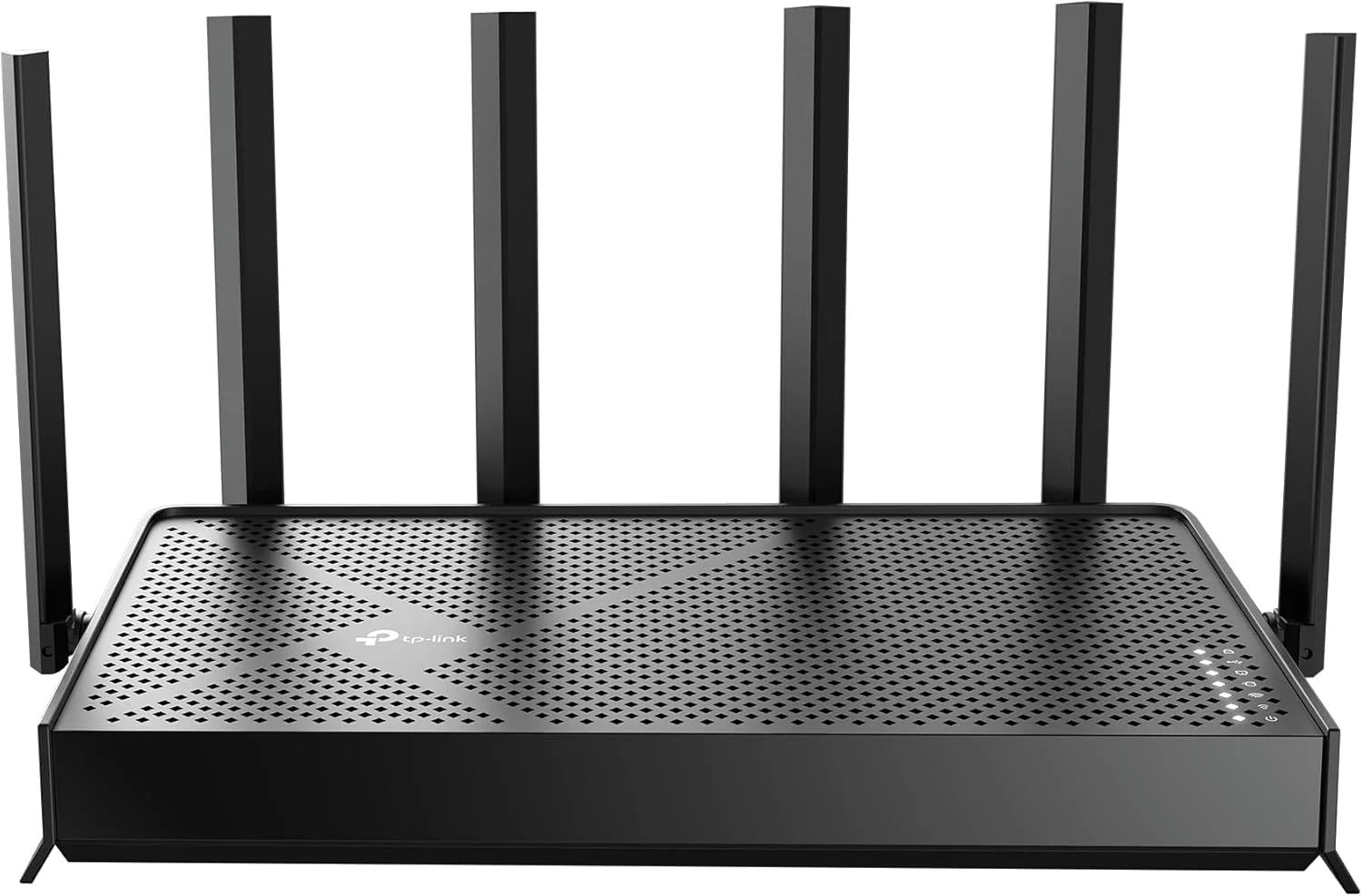
TP-Link Archer BE6500 Wi-Fi 7 Router Setup Guide
Many users look for a reliable way to upgrade their home network, and this guide covers the essential features of a Wi-Fi 7 router. It explains the benefits of advanced technologies like MLO and 4K-QAM for homeowners and tech enthusiasts seeking faster, more secure internet for all their devices.
Introduction
Upgrading your home network can feel overwhelming, but choosing the right router is the most critical step. The TP-Link Archer BE550 stands out as a powerful contender, promising to revolutionize your connectivity with next-generation Wi-Fi 7 technology.
This router is designed for households with high demands, from 8K streaming to competitive gaming. It aims to eliminate buffering, reduce lag, and provide a rock-solid connection for every device. Let’s explore what makes this router a potential game-changer for your smart home.
Wi-Fi 7 Router Problems and Solutions
Many users face common network issues that a standard router can’t solve. Spotty coverage in certain rooms, frustrating lag during video calls, and slow speeds when multiple devices are connected are daily headaches.
These problems often stem from older technology that can’t handle modern bandwidth demands. The Archer BE550 directly addresses these pain points with advanced features designed for stability and speed, ensuring your entire home stays connected without compromise.
Step-by-Step Solutions
To maximize your new router’s potential, follow these simple steps:
- Strategic Placement: Position your Archer BE550 centrally in your home, away from thick walls and large metal objects, to optimize its 2,400 sq. ft. coverage.
- Leverage High-Speed Ports: Connect your primary gaming PC or NAS device directly to the 2.5 Gbps LAN port for ultra-fast wired performance.
- Utilize EasyMesh: If you have a large home, easily pair the router with a compatible EasyMesh extender to create a seamless whole-home network.
- Enable Multi-Link Operation (MLO): Ensure this feature is active in the settings to allow compatible devices to use multiple bands simultaneously for lower latency.
Alternatives and Comparisons
While the Archer BE550 is a top-tier Wi-Fi 7 option, it’s wise to consider alternatives. Many users may look at high-performance Wi-Fi 6E Routers, which offer excellent speeds on the 6 GHz band but lack Wi-Fi 7’s advanced efficiency features like Multi-RU and 4K-QAM.
Compared to other Wi-Fi 7 routers, the Archer BE550’s standout feature is its dual 2.5 Gbps ports, which is rare at its price point. This makes it ideal for users with multi-gig internet plans or those who need a fast backbone for a Smart Home ecosystem or a high-end Gaming and Accessories setup.
Practical Use Cases
Imagine a household where one person is in a video conference, another is gaming online, and a third is streaming a 4K movie. The Archer BE550’s six streams and intelligent band management can handle this effortlessly, allocating bandwidth where it’s needed most.
For creative professionals transferring large video files to a network drive, the 2.5 Gbps wired connection cuts transfer times significantly. Remote workers will appreciate the stable, low-latency connection provided by Beamforming technology and MLO, making virtual meetings crystal clear.
FAQs
What is the main benefit of Wi-Fi 7?
The main benefits of Wi-Fi 7 are dramatically reduced latency and more efficient data handling. Technologies like Multi-Link Operation (MLO) allow devices to use two connections at once, making your connection more reliable and responsive for gaming and video calls.
How does the Archer BE550 compare to a mesh system?
The Archer BE550 is a powerful standalone router with extensive coverage. However, its built-in EasyMesh technology allows it to function as the main hub in a mesh network. For very large or multi-story homes, you can add compatible nodes, offering the best of both worlds: powerhouse performance and expandable coverage.
Is a Wi-Fi 7 router worth it for an average household?
If your current router struggles with multiple devices or you have a gigabit internet plan, upgrading to a Wi-Fi 7 router like the Archer BE550 is a future-proof investment. It ensures your network is ready for new devices and higher bandwidth applications, providing a smoother experience for everyone.
Conclusion
The TP-Link Archer BE550 presents a compelling package for anyone seeking to eliminate Wi-Fi woes. Its combination of Wi-Fi 7 efficiency, robust coverage, and high-speed wired ports addresses the core needs of modern, connected homes. By providing a stable foundation, it empowers everything from work and play to the growing number of devices in our daily lives.