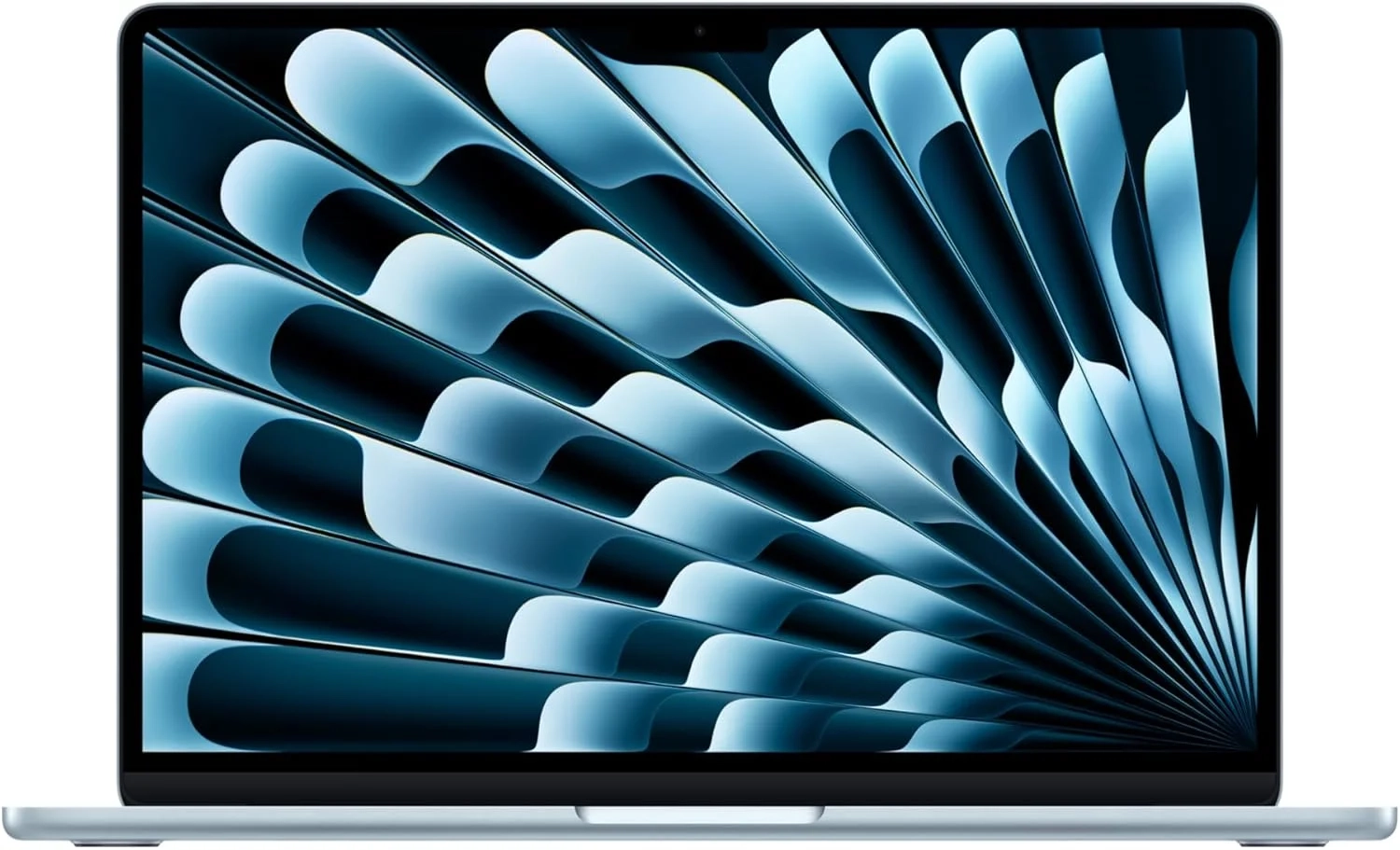
Apple M4 MacBook Air: Apple Intelligence Features Explained
Introduction
The MacBook Air with the M4 chip represents a significant leap forward in Apple’s iconic laptop line. This latest model combines groundbreaking performance with an ultralight design, making it a top contender for students, professionals, and creatives alike. With features like Apple Intelligence and exceptional battery life, it’s engineered to handle everything from daily tasks to intensive projects.
Choosing the right laptop can be daunting with so many options available. This guide will break down the key features, benefits, and ideal use cases for the new MacBook Air M4, helping you decide if it’s the perfect tool for your needs.
MacBook Air M4 Problems and Solutions
Many users wonder if the MacBook Air is powerful enough for their work, or if its lightweight design means sacrificing performance. Others are concerned about connectivity, asking if two ports are sufficient. There’s also the question of whether the integrated GPU can handle creative software or light gaming.
These concerns are common when evaluating ultraportable laptops. The good news is that the M4 chip architecture is designed to address these very issues, offering pro-level performance in a fanless, silent design. Understanding how its features translate to real-world use is key.
Step-by-Step Solutions
To get the most from a MacBook Air M4, consider these steps:
- Maximize Battery Life: Leverage the up to 18-hour battery life by enabling low-power mode for long travel days and using optimized charging settings in macOS to maintain battery health.
- Enhance Your Workspace: Use the laptop’s support for up to two external displays with the lid closed to create a powerful desktop setup at home or the office.
- Optimize for Creativity: Take full advantage of the M4 chip’s media engine by using apps like Final Cut Pro or DaVinci Resolve for efficient video editing, benefiting from hardware acceleration.
- Stay Connected: Utilize the high-speed Thunderbolt 4 ports for connecting fast storage, docks, and high-resolution monitors, effectively expanding your connectivity.
Alternatives and Comparisons
The primary alternative within the Apple ecosystem is the MacBook Pro. The MacBook Pro with M4 Pro or M4 Max chips offers more CPU/GPU cores, additional ports, and a brighter display with ProMotion, making it better for sustained, heavy workloads like 3D rendering or 8K video editing.
Compared to many Windows ultrabooks, the MacBook Air M4 often leads in battery efficiency and performance-per-watt due to the Apple silicon advantage. However, Windows laptops may offer a wider variety of ports, touchscreens, and sometimes lower entry prices. Your choice depends on your preferred ecosystem, specific software needs, and budget.
Practical Use Cases
For the student, the MacBook Air M4 is a campus powerhouse. Its all-day battery lasts through lectures and library sessions, while the M4 chip easily manages research, writing, and presentation software. The ultralight design is a blessing for a heavy backpack.
Creative professionals, like photographers and writers, will find it ideal. Photographers can edit high-resolution images in Lightroom with speed, while writers can benefit from Apple Intelligence features for editing and proofreading. For those delving into Smart Home management or coding, it provides more than enough power in a portable form factor.
Remote workers will appreciate the brilliant display and superb camera for video calls, and the ability to drive dual external monitors transforms any space into a productive office. It’s a versatile tool in the Technology Blog and content creation sphere.
FAQs
What is the battery life of the MacBook Air M4?
Apple rates the MacBook Air M4 for up to 18 hours of battery life during typical web browsing or video playback. Real-world usage will vary based on screen brightness and app workload, but it consistently ranks among the longest-lasting laptops available.
How does the MacBook Air M4 compare to the MacBook Pro?
The MacBook Air M4 is the ultimate balance of portability and performance for most users. The MacBook Pro is designed for professionals who need maximum sustained performance, more connectivity, and advanced display features. For everyday tasks, creative projects, and portability, the Air is often the perfect choice.
Is the MacBook Air M4 worth it for a college student?
Absolutely. Its combination of lightweight design, all-day battery, and powerful M4 chip makes it an excellent investment for college. It can handle research, essay writing, coding assignments, and even content creation, all while being easy to carry around campus.
Conclusion
The MacBook Air with the M4 chip stands out as a remarkably balanced and powerful ultraportable laptop. It successfully addresses the core needs of mobility, endurance, and performance for a wide audience. By offering pro-level chip performance in a silent, fanless design with a brilliant display, it sets a high standard.
Whether you’re a student, a creative, or a professional on the go, the MacBook Air M4 provides a compelling package that is difficult to match in its category.
About This Topic
The MacBook Air M4 is Apple’s latest iteration of its world-renowned ultraportable laptop, now supercharged by the next-generation M4 system-on-a-chip. This topic explores the real-world capabilities, ideal user profiles, and overall value proposition of this device.
This information benefits a wide range of users. It is particularly valuable for students needing a reliable all-day machine, professionals seeking a powerful yet portable workhorse, and creatives like photographers or writers who require strong performance for apps like Lightroom or Final Cut Pro without the weight of a pro laptop. Even those managing smart home ecosystems or running a technology blog will find its power and portability ideal.
A common misconception is that the “Air” designation means it’s only for basic tasks. The M4 chip fundamentally changes this, bringing professional-grade speed and efficiency for demanding creative workflows and multitasking. Another concern is connectivity, but with support for dual external displays via Thunderbolt 4, it can anchor a robust desktop setup.
Key aspects covered include the benefits of the Apple Intelligence system for productivity, the practical reality of its all-day battery life, and how its brilliant Liquid Retina display enhances everyday use. This guide cuts through marketing specs to explain what the MacBook Air M4 experience truly means for different users.
Product Specifications
Physical Dimensions & Weight
- Product dimensions: 8.46 x 11.97 x 0.44 inches (215 x 304 x 11.2 mm)
- Item weight: 2.73 pounds (1.24 kg)
Technical Details & Identification
- Manufacturer: Apple
- Item model number: MC6T4LL/A
- ASIN: B0DZDC3WW5
Battery & Power Specifications
- Battery type: Integrated Lithium-Ion battery
- Batteries required: 1 Lithium Ion (included)
- Battery life: Not specified in provided data
Release Information
- Date first available: March 5, 2025
Compatibility & Connectivity
- Compatibility details: Not specified in provided data. Typically compatible with Apple ecosystem and software.
Performance & Hardware
- Performance specifications: Not specified in provided data. Refer to model number for chipset, memory, and storage details.
Certifications & Standards
- Certifications: Not specified in provided data. Apple products typically meet relevant safety and regulatory standards.