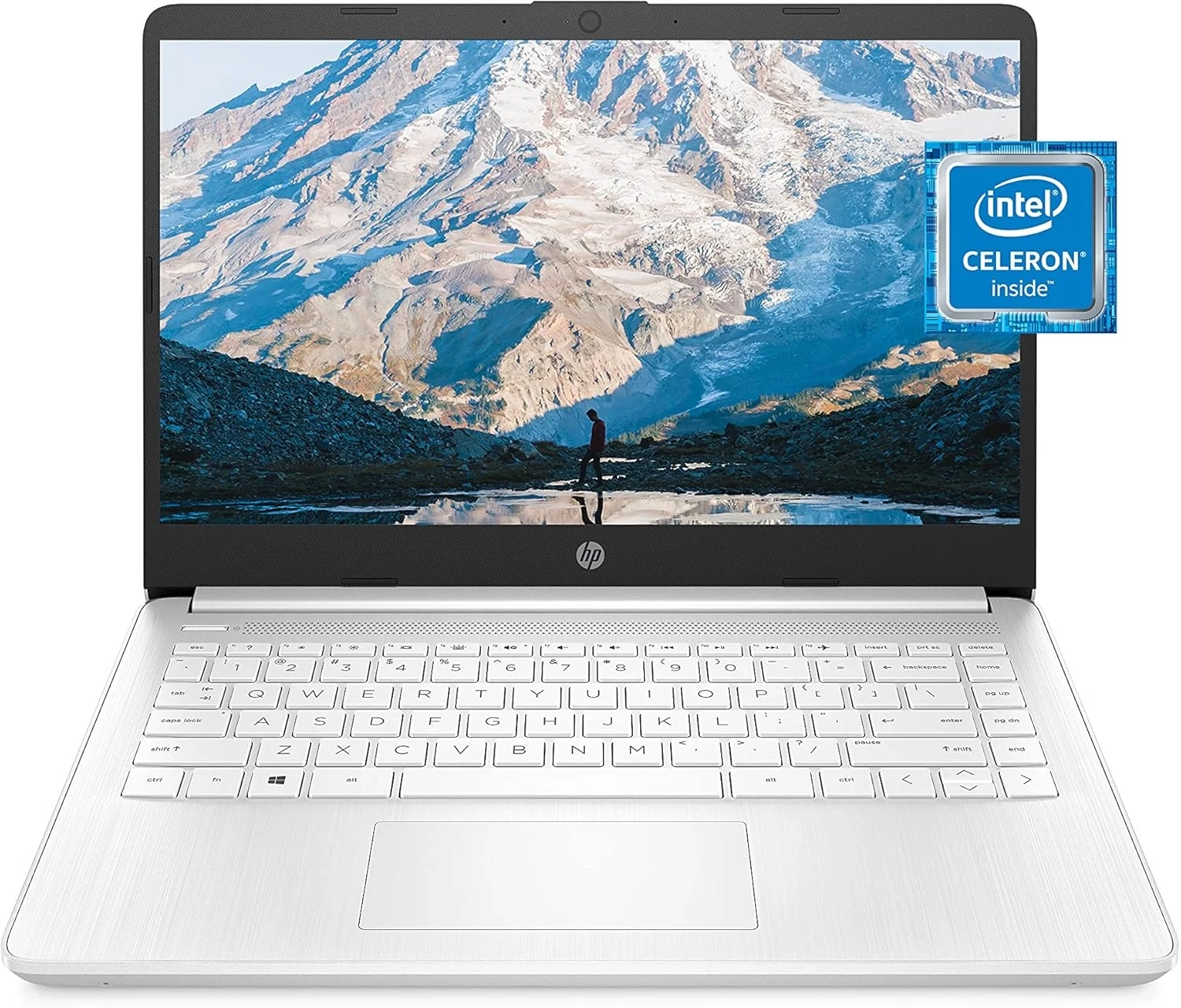
HP 14 Laptop Review: Performance, Storage, and Display
This guide is for anyone considering the Snowflake White HP 14 Laptop for everyday tasks. Many users look for a balance of portability and performance, which this affordable device aims to provide. We’ll cover its key specifications, from battery life to its Intel Celeron processor, to help you make an informed decision.
Introduction
Finding a reliable and affordable laptop for everyday tasks can feel overwhelming. The HP 14-inch HD Laptop stands out as a compelling option for students, remote workers, and families. This model combines essential performance with a modern, portable design, making it a strong contender in the budget-friendly category.
Its value proposition is clear: deliver core functionality without unnecessary complexity. We’ll explore its features, ideal use cases, and how it compares to other approaches for getting your work done.
HP 14-inch HD Laptop Features and Benefits
This laptop is designed for efficiency and mobility. Its key attributes address the fundamental needs of most casual users. The nearly borderless micro-edge bezel display maximizes the screen real estate on a compact 14-inch frame, enhancing your viewing experience for documents and streaming.
Powered by an Intel Celeron processor and Intel UHD Graphics 600, it handles everyday applications and light multimedia smoothly. With 4 GB of RAM and 64 GB of eMMC storage, it offers sufficient space and speed for essential files and programs. The thin-and-light build quality ensures it’s truly ready for anywhere, from the coffee shop to the classroom.
Step-by-Step Solutions
If you’ve chosen this laptop, here’s how to get the most from it.
First, manage your storage wisely. The 64 GB eMMC is fast but has limited capacity. Utilize cloud storage services or a microSD card for photos, videos, and large document archives. This keeps your main drive clear for the operating system and key apps.
Second, optimize performance for your tasks. For general browsing and office work, the 4 GB of RAM is adequate. Avoid running too many demanding programs simultaneously. Stick to a few browser tabs and your word processor for the smoothest experience.
Finally, leverage its portability. Its lightweight design is its superpower. Use it as your dedicated on-the-go device for note-taking, presentations, and communication, complementing a more powerful desktop at home.
Alternatives and Comparisons
How does this model stack up against other options? Compared to Chromebooks, this HP laptop runs full Windows, offering compatibility with a wider range of desktop software, which is a must for some users. However, Chromebooks often feel snappier on similar hardware for web-based tasks.
Within the Computer and Accessories category, consider your need for power versus price. For heavier tasks like photo editing or multitasking, investing in a model with an Intel Core i3/i5 processor, 8 GB RAM, and an SSD would be a better fit, though at a higher cost. This HP model excels as a dedicated, no-fuss machine for specific, lighter duties.
Practical Use Cases
This laptop shines in several real-world scenarios. It’s an excellent primary device for a student writing papers, researching online, and attending video lectures. The HD screen and all-day battery potential make it perfect for these tasks.
For household management, it’s a great family computer for managing schedules, online shopping, and streaming entertainment to the living room TV. Its affordability also makes it a smart choice as a secondary device for quick checks or travel, preserving the battery life of your more expensive primary phone or laptop.
FAQs
What are the specs of the HP 14-inch HD Laptop?
This model typically features a 14-inch HD (1366×768) display with micro-edge bezels, an Intel Celeron N4020 processor, 4 GB of RAM, 64 GB of eMMC storage, and Intel UHD Graphics 600. It’s designed for portability and essential computing.
Is the HP 14-inch laptop good for gaming?
It is not designed for gaming. While the integrated graphics can handle very casual or older titles, it lacks the power for modern or demanding games. For a better gaming experience, explore dedicated machines in the Gaming and Accessories category.
Is this laptop worth it for remote work?
Yes, for basic remote work like email, video calls, document editing, and web applications, it is a cost-effective solution. Its portability is a major plus. If your work requires specialized software or heavy multitasking, a more robust configuration would be recommended.
Conclusion
The HP 14-inch HD Laptop successfully fulfills its role as an accessible, portable computer for everyday use. It prioritizes a modern screen design and essential performance for a budget-conscious price. By understanding its strengths in core tasks and managing its storage wisely, users can find it a reliable partner for study, work, and entertainment on the go.
About This Topic
This topic focuses on the HP 14-inch HD Laptop, a specific budget-friendly notebook computer designed for everyday productivity and portability. We provide an authoritative look at its technical specifications, real-world performance, and ideal user scenarios to help you make an informed purchasing decision.
This analysis benefits students, home users, and professionals needing a secondary device for light duties. It’s particularly valuable for those seeking an affordable Windows laptop for basic tasks or a portable computer for school who want to understand the practical limits of entry-level hardware. We address common concerns about the speed of an Intel Celeron processor and the sufficiency of 4 GB RAM for multitasking.
A key point we clarify is the difference between eMMC storage and a traditional SSD, managing expectations for load times and storage capacity. We also dispel the misconception that any modern laptop can handle gaming, directing users with those needs to the proper Gaming and Accessories category. Our goal is to cut through marketing terms and present a clear, trustworthy assessment of what this device can and cannot do for you.
Display & Screen Specifications
- Screen size: 14 inches (35.6 cm)
- Display resolution: 1366 x 768 pixels (HD)
- Maximum screen resolution: 1366 x 768 pixels
- Panel type: Standard LCD display
Processor & Performance
- CPU: Intel Celeron N4020 dual-core processor
- Processor speed: 2.8 GHz base frequency
- Chipset brand: Intel
- System memory (RAM): 4 GB DDR4
- RAM speed: 2400 MHz
Graphics & Video
- Graphics processor: Integrated Intel UHD Graphics
- Graphics card type: Integrated
- Dedicated video memory: Shared system memory
- VRAM (graphics RAM): Uses up to 4 GB of system memory
Storage & Memory
- Internal storage: 4 GB eMMC flash storage
- Storage type: Embedded MultiMediaCard (eMMC)
Connectivity & Ports
- Wireless connectivity: Wi-Fi 5 (802.11a/b/g/n/ac) and Bluetooth
- USB 2.0 ports: 3 ports
- USB 3.0 ports: 3 ports
Battery & Power
- Average battery life: Up to 10 hours
Compatibility & Operating System
- Designed for Chrome OS
- Compatible with Google Play Store apps and Linux applications
- Cloud-based storage integration